

how to use yelp api
How to Use the Yelp Fusion API

Last week, I completed Module 1 at the Flatiron School. A module is a 3 week block that focuses on a specific area of web development. Module 1 focused on Ruby, SQL, and ActiveRecord, and it culminated with developing a CLI (command line interface) application.
My partner and I decided to create a MealPal ratings app that allows users to create reviews, search restaurants, and view the top-rated restaurants. We decided to work with the Yelp Fusion API to allow users to search Yelp to find restaurants.

What is an API?
API stands fo r Application Programming Interface. In real people, non-programmer terms, what does that actually mean? Well, an API is a software-to-software interface, not an user interface, so the average internet user likely has no idea that they exist. APIs are powerful and allow different software programs to work with one another. For example, let's say you're buying some shoes on Zappos and input your credit card information to complete the purchase. The Zappos website will use an API to send your credit card information to another application to verify that the information is correct. This app will send a response back to Zappos once the payment is confirmed. As a user, you only see the Zappos website, but behind the scenes, many applications are working together using APIs.
What can the Yelp API do?
The Yelp Fusion API is incredibly powerful and easy to use, making it a great choice for my first Flatiron project. It has a number of capabilities, and while we focused on using it to search businesses, I have listed a few other usages below:
- Search: Find businesses by keyword, location, and category
- Phone Search: search for businesses using a phone number
- Business: find rich business data, such as photos, Yelp rating, price levels and hours of operation.
- Reviews: find up to 3 review excerpts for a business
- Autocomplete: provides autocomplete suggestions for businesses, search keywords, and categories
How to Set Up the API in Your Project
Yelp Fusion is transitioning their authentication system from OAuth 2.0 to API keys, making the authentication process simpler. I initially struggled finding documentation using the new API keys system, until I stumbled upon Yelp's Github sample Ruby code. Here is an overview of how to set up Yelp Fusion in your own project:
- Create an App to Get Your Own Private API Key
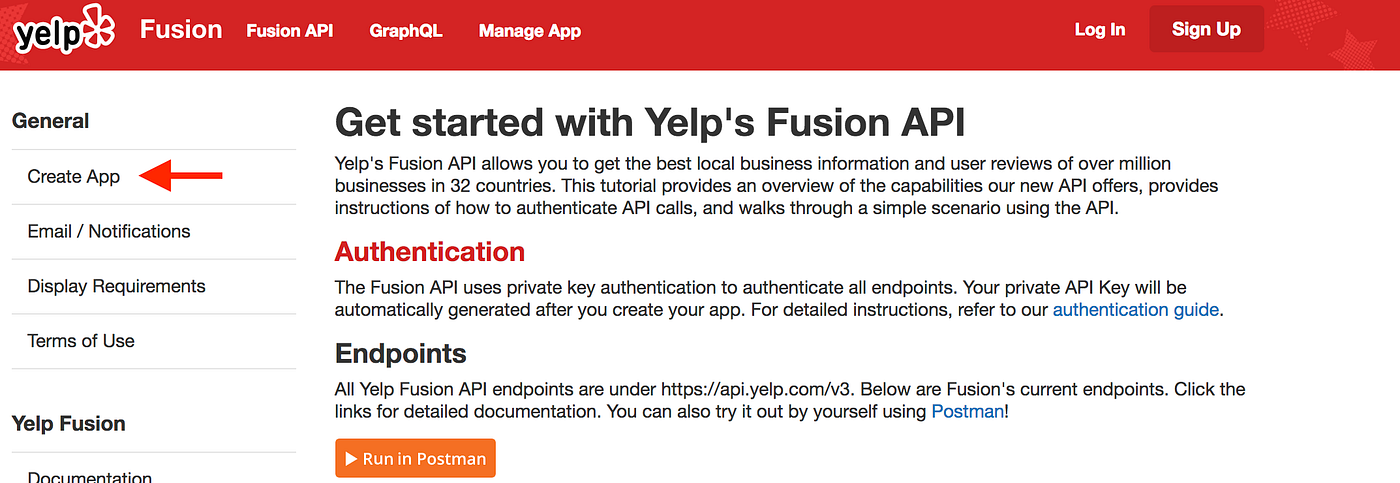
2. Keep your API Key Secret by Using an Environment Variable
In your terminal:
$ export YELP_API_KEY="ABCDEFG1234567your_api_key" Your can check that the API key has been saved as an environment variable by
$ env 3. Access Your API Key in Your Program
Environment variables are stored in hashes, so you can access the value of the API Key with ENV["YELP_API"] (or whatever you saved as the key name).
4. Use Your Key to Authenticate Get Requests to the Yelp API
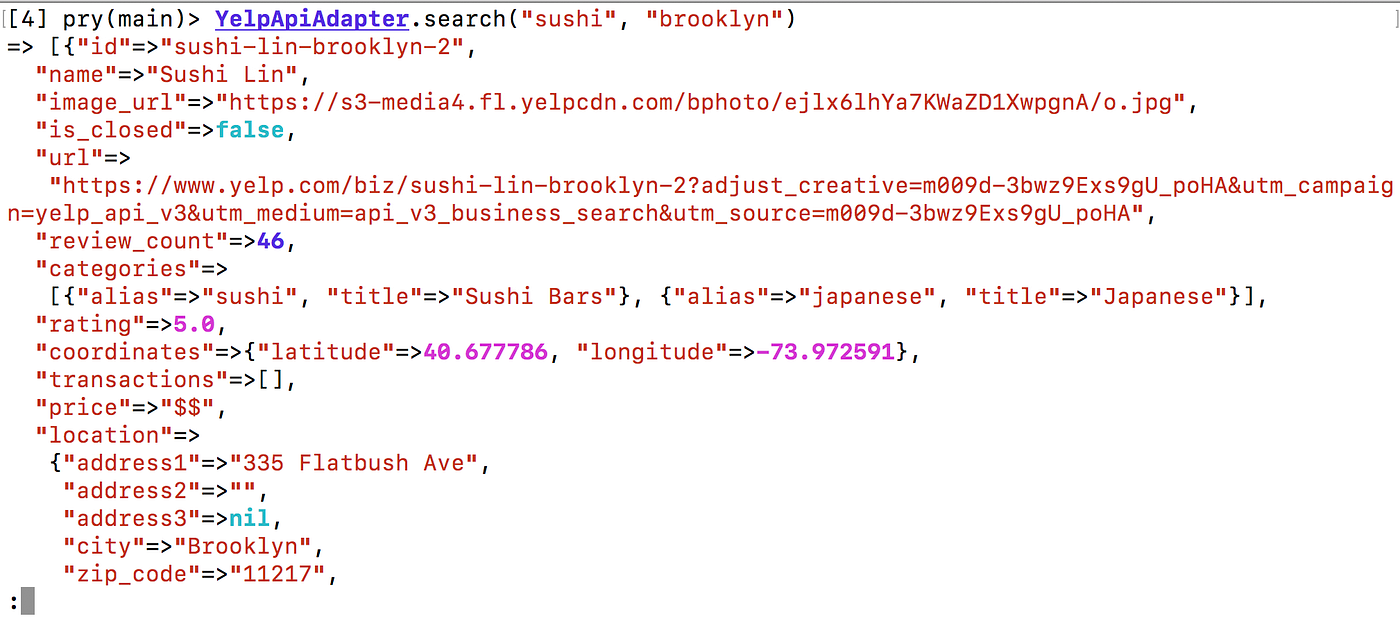
The sample code uses HTTP to authenticate and parse the get request, so if you don't already have HTTP installed, you will need to add it to your Gemfile or run:
$ gem install http HTTP will return a parsed JSON object that can be manipulated for your project needs.
The Yelp Fusion API is a great API for business data, with a few limitations
Overall, using the Yelp Fusion API was an excellent choice for my project, and I believe an a great API for any application needing business data. It was powerful, well-documented and very easy to work with.
I encountered a couple limitations of Yelp Fusion:
- Searches do not return businesses without review — While this did not prove to be an issue for my project, this would be limiting while working with brand new businesses that have not yet received reviews.
- Reviews only return 3 results of 160 character snippets — The Yelp Fusion API is really not suited for dealing with review data. If you wanted to use Yelp reviews in a project, it would likely need to be done through scraping.
how to use yelp api
Source: https://medium.com/@morgannegagne/how-to-use-the-yelp-fusion-api-70e62f96b0ab
Posted by: fairspiretur.blogspot.com
0 Response to "how to use yelp api"
Post a Comment